Applab Quiz Planning
Planning and review for my partner and I's applab projects
Plan
We will create an introduction page, and have a 3 quesiton quiz. The intro page will have a button which allows the user to go to the next question, as well as an image related to the quiz.
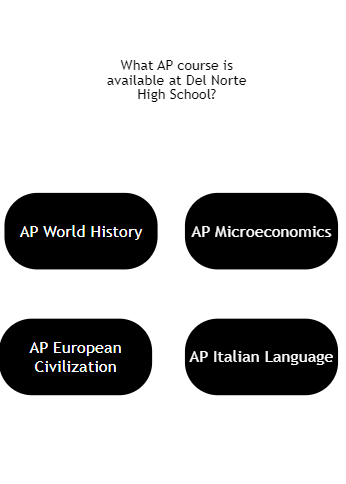
Each question will have 4 answer choices, with an image or button corresponding to answer choices. If the user clicks on the button corresponding to the right answer, they will be taken to a “correct screen.” If the user gets the question wrong(clicks on an incorrect answer choice), they will be taken to an “incorrect page.”
Example Question:
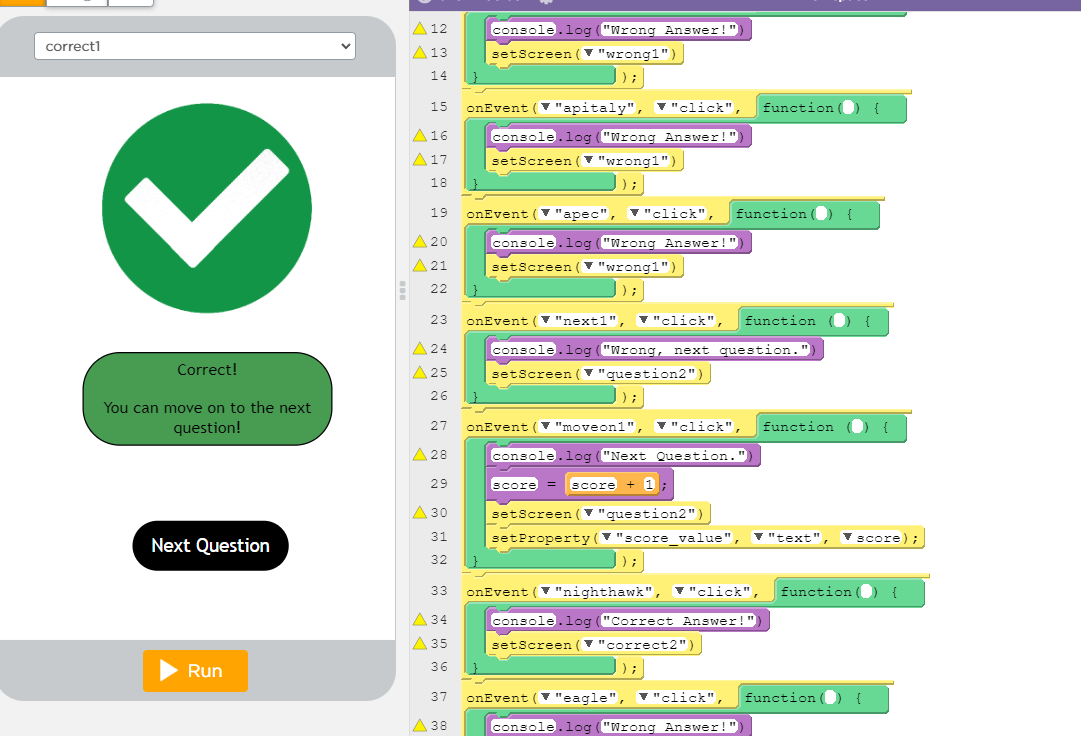
On each “correct screen”, we plan to have an image which showcases an image of validation, and a button for the next question. On each “incorrect page”, we would have the opposite of the “correct screen”, but still a button for the next question.
After the user answers all the questions, we will take them to a final screen, which could show their score and could possibly play other effects congratulating them on completing it or thanking them for playing.
Screens: Home Screen -> Question 1 Screen -> Correct/Wrong Screen -> Question 2 Screen -> Correct/Wrong Screen -> Question 3 Screen -> Correct/Wrong Screen -> Final Screen
Final Code
We ended up mostly using onEvent to let us create a program that would progress from screen to screen as buttons were clicked.
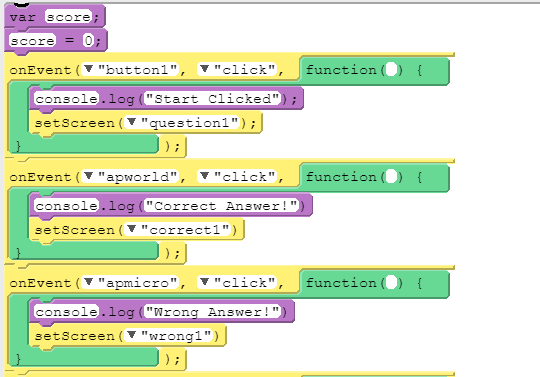
We also used screens in between questions that told players if they got the question correct or incorrect and then added one to the score variable if the answer was correct.
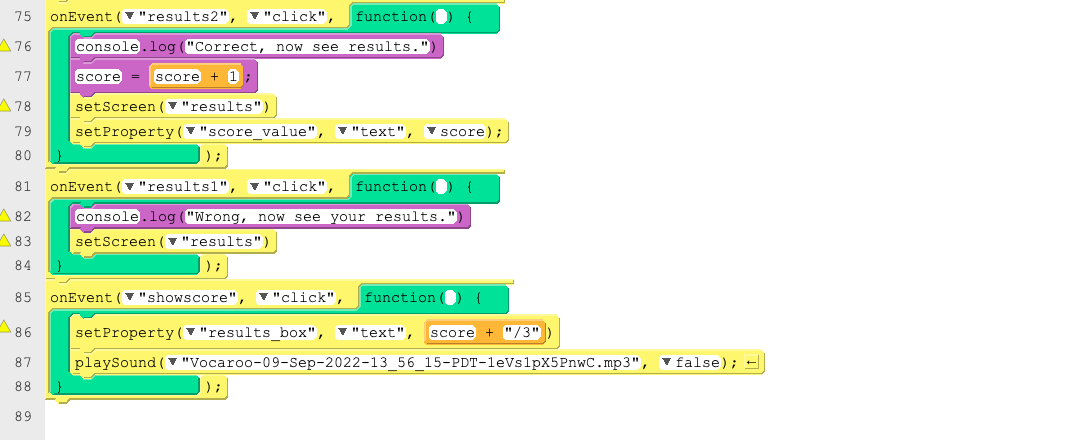
Finally we made a results box which displayed the variable of the score since each the time the quiz was played the score would be different. We also added a sound to play at the end once the user clicked to receive their score which plays an audio file upon clicking the showscore button.
Final Quiz
You can see the Quiz Here
Successes, Discoveries and Challenges
We created a quiz which was able to track the score of the user. We had some challenges defining a variable to store the score, since the syntax is different from python. We realized that we had to define the variable, and then add to it using different syntax. This is different from python because python allows the coder to keep on redefining a variable.
We also had some trouble with formatting, and centering the images and items on the screen. We learned about the pixel dimensions of the screen(it is 320 x 450 px!) We then had to use dimensions of other items on the screen to help us center the images. It was also interesting to see how the positioning system works.
Lessons Learned
Using AppLab was a very cool experience. It really helped us learn more about Javascript, with an easy to use interface. We liked using the blocks, but the ability to check out the code in true Javascript helped us see basic Javascript programming. This project helped us learn about user interaction and how Javascript is a powerful language for that.
We also got a preview of how to use images in Javascript. We saw the positioning system, but there still a lot to learn about how to call the shapes in real code.
Extra Program
We also built an additional program we worked on which was a way for two people to play tic tac toe created by altering images and using variables. The game can be found here